
SWIRL Overview
What is SWIRL AI Search?
SWIRL AI Search is a hybrid metasearch engine that connects almost any Generative AI or Large Language Model (LLM) to enterprise data platforms, applications, and information services - without copying, ingesting, or indexing any data.
SWIRL runs in your own environment, anywhere Docker or Kubernetes is supported. Users can generate personalized, secure AI-driven insights from the data they're already authorized to access - without requiring developers, lengthy legal agreements, or complex data transfer/ETL (extract, transform, load) projects.
SWIRL 5 extends the platform with the Semantic Cache: document version clustering, canonical version election and pinning, cached full-text retrieval, and Activity Analytics with AI Insight Yield. SWIRL 5 also adds workspaces with member sharing, per-provider-family prompt configuration, a built-in MCP server so Claude and other agents can search through SWIRL, and the SWIRL Plugin for Claude Code.
New: the SWIRL Plugin for Claude Code. Install SWIRL, connect your sources, and get grounded answers from your own data - guided end-to-end by Claude. See the Claude Code Plugin guide or download the one-page PDF (no registration required).
See SWIRL 5 in Action
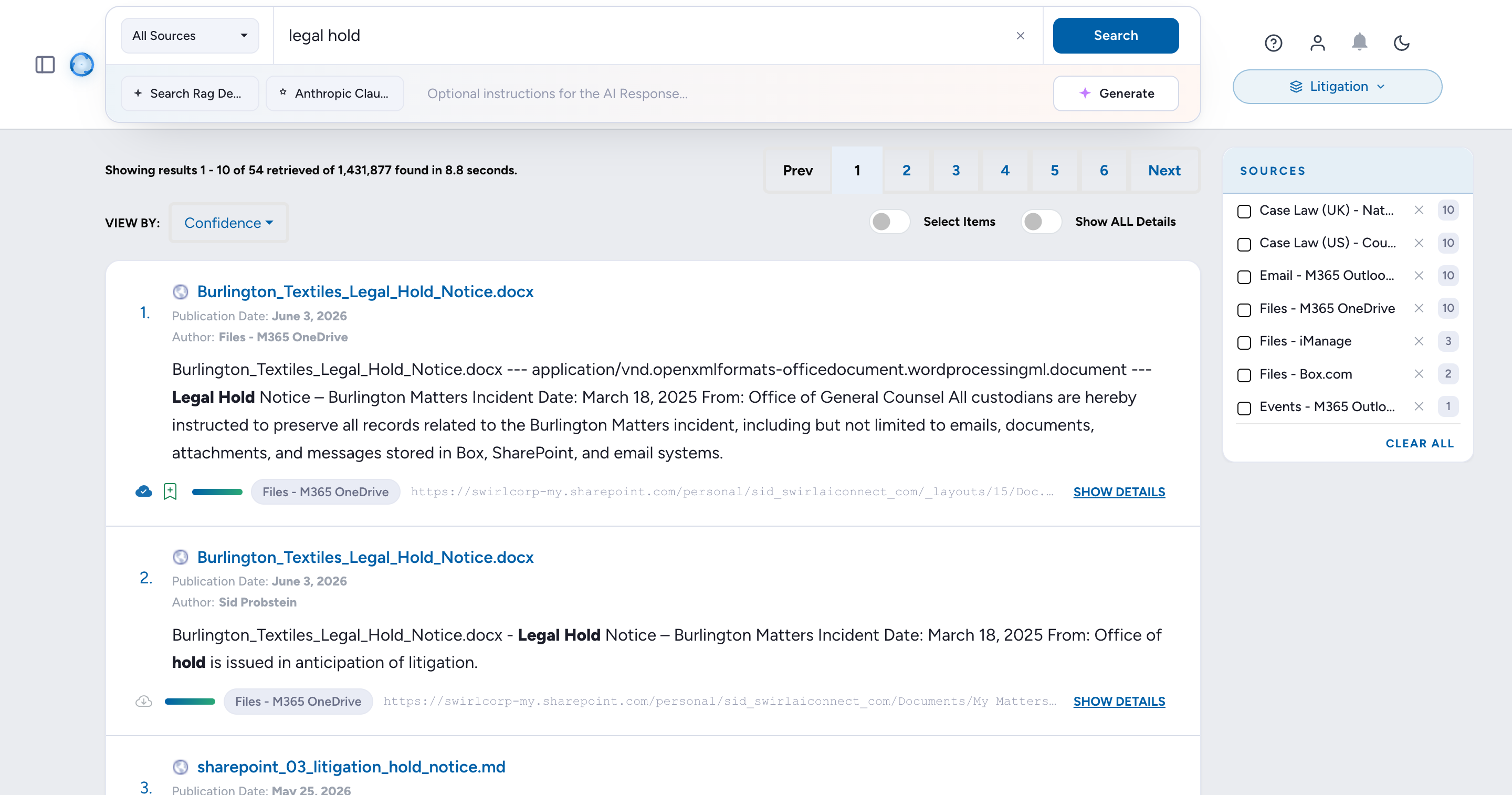
The Canonical Document Finder: one search federates Microsoft 365 and the web, SWIRL clusters every version of a policy, elects the current one, and grounds the AI answer in that single canonical document. (With narration.)
Federated search with three-pass re-ranking, and Fetch More pulling the next page from every source live. (With narration.)
The Claude CLI connected to SWIRL's built-in MCP server: list sources, federate a search, and get a grounded, cited answer, entirely from the command line. (With narration.)
More videos, alongside the features they demonstrate: RAG on selected results in the RAG Guide, the AI Search Assistant in the Assistant Guide, Activity Analytics and AI Insight Yield in the Admin Guide, federated search with Fetch More in the User Guide, configuring SearchProviders in the SearchProviders Guide, and setting up Authenticators in the Keycloak Guide.
What is SWIRL AI Search Assistant?
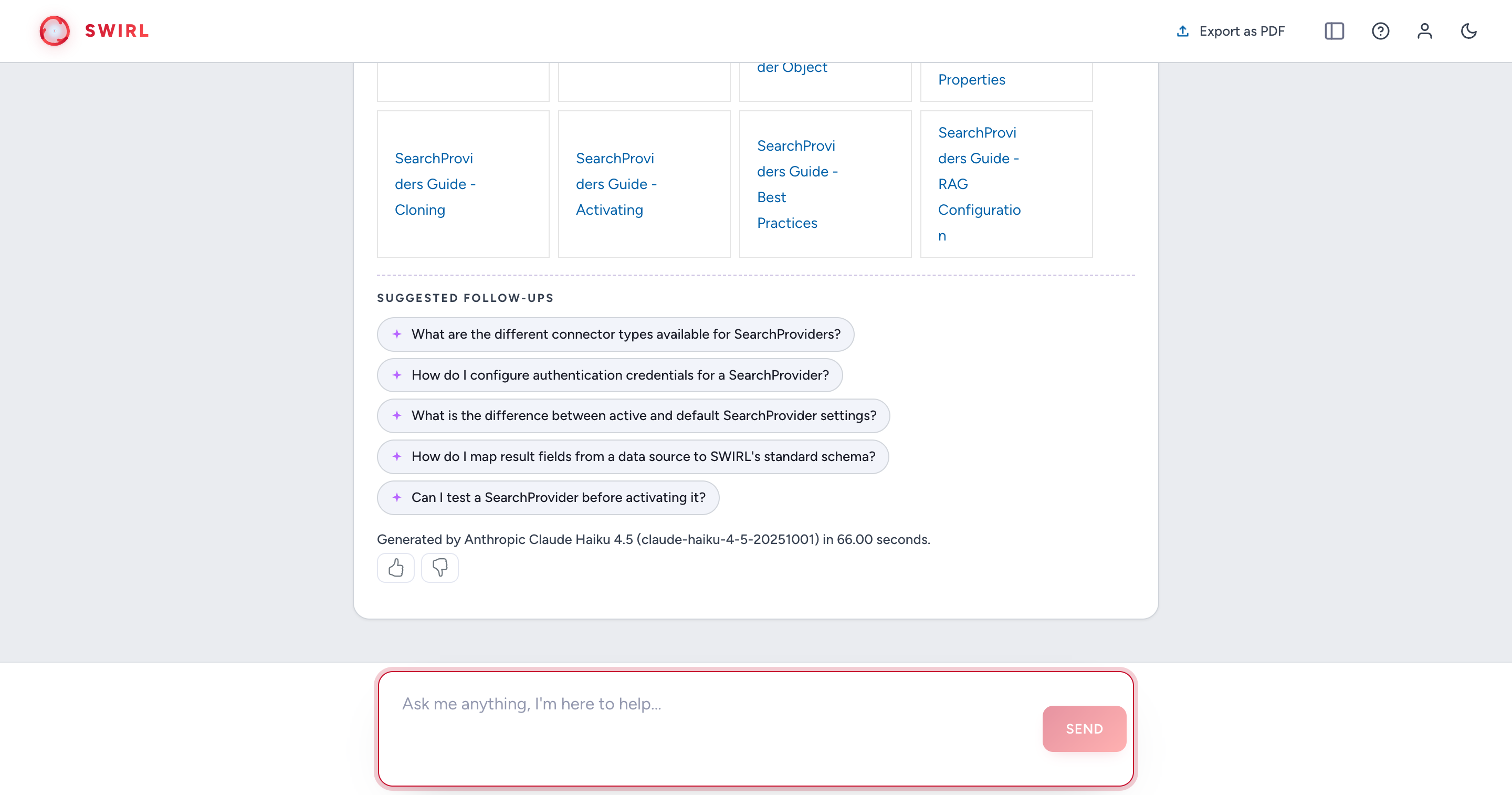
SWIRL AI Search Assistant is a chat bot that converses with users to identify the best data sources for an inquiry and the exact query to run. It provides in-line insights using Retrieval-Augmented Generation (RAG) on the most relevant search results.
As of SWIRL Enterprise 4.0, the AI Search Assistant can generate queries in SQL, SPARQL, and other query languages known by the underlying LLM.
How Does SWIRL Provide Insights Without Copying, Ingesting, or Indexing Data?
SWIRL AI Search asynchronously sends user queries to authorized APIs and other configured endpoints. Response time depends on the slowest source.
SWIRL then re-ranks results from all responding sources using embeddings from the configured LLM, so users don't have to.
The re-ranking process follows these steps:
- Vectorize the user's query (or relevant parts of it).
- Send the text of the user's query and/or the vector to each requested (or default) source.
- Asynchronously gather results from each source.
- Normalize results using JSONPath (or XPath).
- Vectorize each result snippet (or relevant parts of it).
- Re-rank results based on similarity, frequency, and position, while adjusting for factors like length variation, freshness, and more.
The Xethub study demonstrated that re-ranking "naive" keyword search engines outperforms re-indexing data into a vector database for tasks like question answering.
SWIRL AI Search also includes cross-silo RAG to generate AI-powered insights such as summarization, question answering, and visualizations of relevant result sets.
-
Search
Federate the query across every active SearchProvider in parallel.
-
Re-Rank
Normalize and re-score results across sources using cosine vector similarity.
-
Review
Optionally let the user inspect, sort, or trim the result set before generation.
-
Fetch
Pull full text from each chosen source in real time, using authorized credentials.
-
Read
Vectorize the fetched text and pick the passages most relevant to the query.
-
Prompt
Bind passages into a prompt and dispatch to the configured generative model.
-
Package
Return an AI-generated answer with inline citations linking back to each source.
When a user requests an AI-generated insight, SWIRL:
- Sends the request to relevant sources.
- Normalizes and unifies the retrieved results.
- Re-ranks the unified results using a non-generative Reader LLM.
- Optionally presents them to the user, allowing adjustments to the result set.
- Fetches the full text of results in real time.
- Identifies the most relevant portions of the documents and binds them into a prompt using real-time vector analysis similar to the re-ranking process above.
- Sends the refined prompt to the approved generative AI for insight generation.
- Returns a single set of AI-generated insights with citations.
SWIRL AI Search includes the Galaxy UI and documented Swagger APIs for integration with nearly any front-end or system.
SWIRL Enterprise supports flexible, generic OAuth2 and Single Sign-On (SSO), with auto-provisioning via OpenID Connect.
How Does SWIRL AI Search Assistant Work?
SWIRL AI Search Assistant ensures that the configured LLM only accesses data the user is authorized to see, through its integration with SWIRL AI Search.
SWIRL manages chat context and history, triggering RAG through AI Search based on user requests and conversation flow. Users can only receive insights from data they are already authorized to access. Assistant retains context only within each user's active session, keeping conversations private and contextualized per user. All access is managed through the existing SSO system.
For more information, please refer to the AI Search Assistant Guide.
What Systems Can SWIRL Integrate With?
SWIRL AI Search integrates with a wide range of systems, including enterprise applications, cloud platforms, databases, search engines, and AI services.
For a full list of supported integrations, see swirlaiconnect.com/connectors.
How Do I Connect SWIRL to a New Source?
To connect SWIRL AI Search to an internal data source, create a SearchProvider record, which defines how SWIRL interacts with that source. See the SearchProvider Guide.
To integrate SWIRL Enterprise with an LLM, create an AIProvider record, which configures SWIRL to communicate with the AI system. See the AI Search Guide.
SWIRL 5 Enterprise is here. SWIRL 5 adds the separately licensed Semantic Cache (result caching, document version clustering, and canonical version election with pinning), workspaces with member sharing, a built-in Model Context Protocol (MCP) server, and a Docker-first deployment model. Documentation for prior releases is preserved under Enterprise 4.x Documentation. Contact us for licensing.
What Is New in SWIRL 5?
SWIRL 5 adds:
- Semantic Cache (separately licensed) - federated results are cached with full text, so repeat questions answer instantly and RAG can read documents without re-fetching.
- Document version clustering - near-duplicate copies and revisions of the same document, across systems, are clustered together in results.
- Canonical version election and pinning - SWIRL scores each cluster member (source authority, naming, recency, format) and elects the current version automatically; curators approve with one click to pin it, and every future search, AI Summary, and Assistant answer is grounded in that single canonical document.
- RAG on selected results - use Select Items to choose exactly which results the AI Summary is generated from.
- Fetch More - pull the next page of results from every source that has more, live, re-ranked into place.
- Workspaces - scope sources to workspaces and share them with specific members.
- Built-in MCP server - Claude Desktop, Claude Code, and any MCP client can list sources, search, read documents, chat with the Assistant, and get grounded RAG answers as native tools.
- Per-provider-family prompts - tune RAG and chat prompts per model family (Anthropic, OpenAI, Llama, and others).
- Activity Analytics with AI Insight Yield - searches, messages, and errors over time, plus user thumbs-up/down ratings on every AI answer, aggregated with reasons so teams can measure and improve AI quality. See the Admin Guide.
- SWIRL Plugin for Claude Code - guided install, source connection, and grounded answers from inside Claude.
How Do I Use SWIRL with Claude?
Three ways, in increasing order of depth:
- The SWIRL Plugin for Claude Code - installs guided skills for setting up SWIRL, connecting sources, configuring RAG, and troubleshooting:
claude plugin marketplace add swirlai/swirl-claude-plugin - SWIRL's MCP server - connect Claude Desktop, Claude Code, or any MCP host to SWIRL so agents can run federated searches, read documents, and get grounded, cited answers over your sources.
- Claude as SWIRL's AI provider - configure Anthropic models for RAG, chat, and query rewriting in SWIRL Enterprise, with per-family prompt overrides. See the AI Search Guide.
What Is Included in SWIRL Enterprise Products?
SWIRL Enterprise includes:
- SWIRL AI Search Assistant - an interactive AI-powered search assistant.
- Extended set of AI providers (e.g., Anthropic, Cohere) and Assistant-specific LLM roles including chat, query rewriting, and direct answer retrieval. (As of 4.5, SWIRL Community also supports configurable AIProviders for RAG and embeddings via OpenAI, Azure/OpenAI, and any OpenAI-compatible endpoint - see the Admin Guide.)
- SSO support with various Identity Providers (IDPs) such as Ping Federate, plus auto-provisioning via OpenID Connect. (SWIRL Community only supports M365.)
- AI-powered insights from 1,500+ file formats, including structured data such as tables and charts, plus text in images.
- Authentication support for PageFetcher, enabling secure retrieval of protected content.
- Configurable prompts, including per-provider-family prompt overrides (SWIRL 5).
- Semantic Cache (SWIRL 5, separately licensed) - caching of federated results with document version clustering, canonical version election, and pinning. See the Semantic Cache Guide.
- Workspaces (SWIRL 5) - scope sources to workspaces and share them with specific members.
- Built-in MCP server (SWIRL 5) - expose SWIRL search, RAG, and chat to MCP clients and agents. See the MCP Server (Enterprise) guide.
How Much Do SWIRL Enterprise Products Cost?
SWIRL Enterprise pricing varies based on deployment type, features, and support level. See swirlaiconnect.com/pricing.
When Should I Use SWIRL AI Search Community Edition?
Use SWIRL Community if you need to search across one or more repositories and apply RAG to full-text content, without requiring authentication, indexing the data into another repository, or writing additional code.
You may also freely redistribute solutions that incorporate SWIRL Community under the Apache 2.0 License.
When Should I Use SWIRL Enterprise Edition?
Use SWIRL Enterprise when you have:
- Repositories that require authentication via SSO or OAuth2.
- A need to extract text from documents and fetch authenticated pages securely.
- A need to apply RAG to long documents, complex tables, or text extracted from images.
- A need to use LLMs beyond OpenAI and Azure OpenAI.
- A desire to interact conversationally with your data using SWIRL AI Search Assistant.
How Can I Obtain SWIRL Enterprise Edition?
- Use the SWIRL Enterprise Railway template to deploy the complete stack privately with one click, in your own Railway workspace - see the Railway Deployment Guide.
- Prefer Azure? Deploy SWIRL AI Enterprise from the Azure Marketplace as a virtual machine in your own subscription - bring your license, or choose the pay-as-you-go plan billed hourly per vCPU through Azure.
- Contact SWIRL for a license key, or delivery on any other platform via Docker Compose or the public Helm chart.
How Can I Get Help With SWIRL?
- Visit the Documentation Site: docs.swirlaiconnect.com
- Enterprise: Create a Ticket
- Email: support@swirlaiconnect.com
Security and Compliance
For security administrators and CISOs evaluating SWIRL Enterprise, see the Security Guide for the deployment security model, identity and data protection controls, network hardening, logging, vulnerability management, and a production hardening checklist.
What Is the SWIRL Architecture and Technology Stack?
SWIRL products are built on a Python/Django/Celery/Redis stack:
- Python & Django - core framework for application logic and API services.
- Celery & Redis - handle asynchronous processing and task management.
- PostgreSQL (recommended for production) - scalability and reliability.
For a deeper dive into SWIRL's architecture, see the Developer Guide.
How Is SWIRL Usually Deployed?
SWIRL is typically deployed using Docker, with Docker Compose for setup.
For SWIRL Enterprise, deployments are also available as Kubernetes images for scalable, containerized orchestration.
What is the history of SWIRL?
SWIRL was created by Sid Probstein in 2023. SWIRL was incorporated in 2024 to provide support, services and enterprise-grade versions of SWIRL under commercial license. Sid serves as SWIRL's CEO.