
SearchProviders Guide
SearchProviders are the core of SWIRL - they connect SWIRL to data sources without requiring code. SWIRL ships with preconfigured providers for M365, iManage, Box.com, ServiceNow, Salesforce, HubSpot, Arxiv, Google News, and many more.
Integrating SWIRL with enterprise sources, Part 1: what a SearchProvider is, its connection, query, and result mappings, and the preloaded providers that ship with SWIRL. (With narration.)
Default Providers
SWIRL ships with active SearchProviders for ArXiv (arXiv.org), Europe PubMed Central, Google News, Google Web, the Internet Archive, and SWIRL Documentation. In SWIRL Enterprise, the Files - SWIRL Cache provider (the Semantic Cache) is also active.
The Web - Google.com and Documentation - SWIRL (docs.swirlaiconnect.com) SearchProviders use the Google Programmable Search Engine (PSE) API. Configure your own Google API key and Programmable Search Engine ID (cx) for these providers. See Activating a Google Programmable Search Engine (PSE) SearchProvider for setup details.
Preloaded SearchProviders
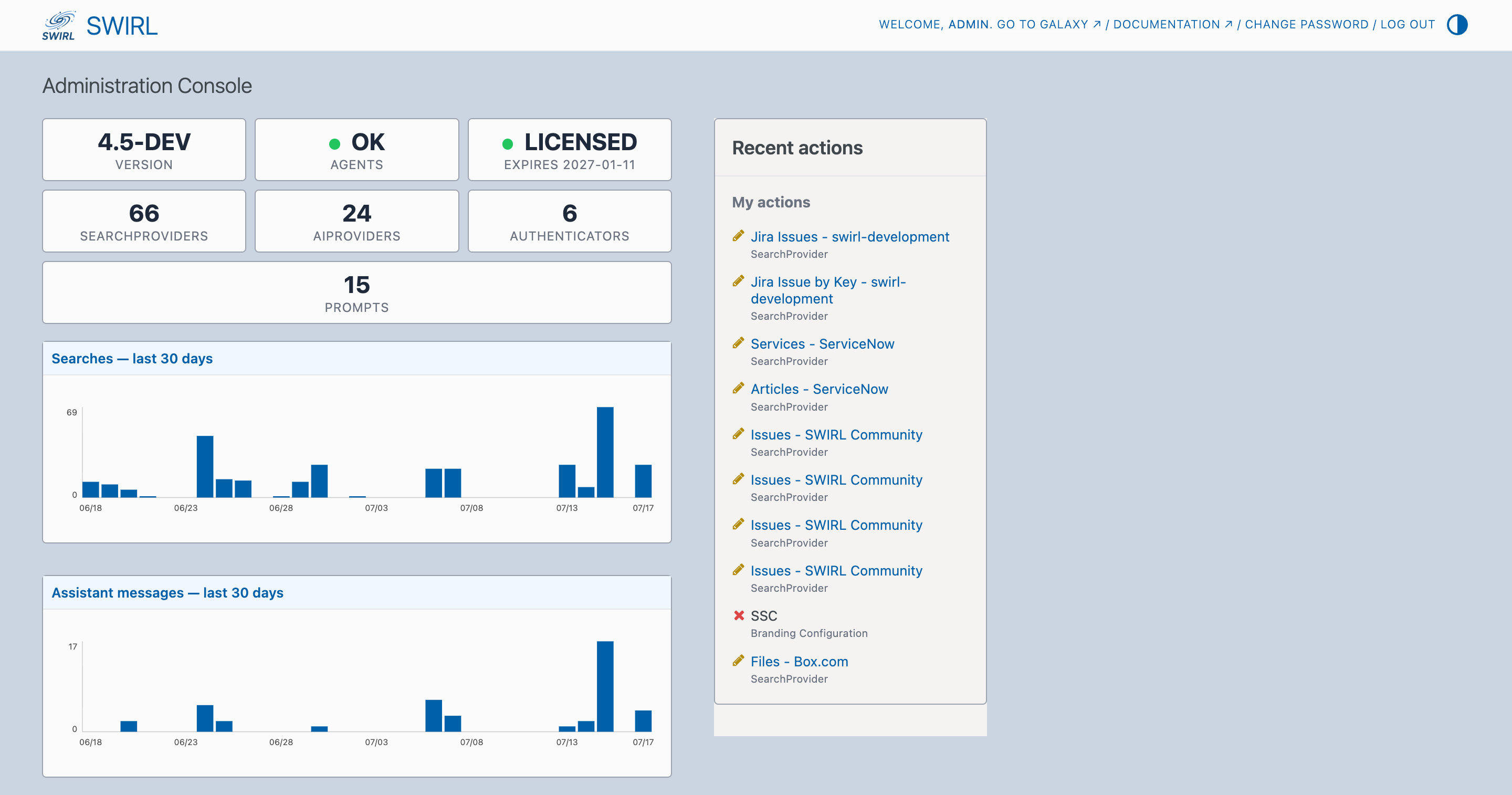
To view the list of preloaded SearchProviders, use the admin console at http://localhost:8000/admin/.
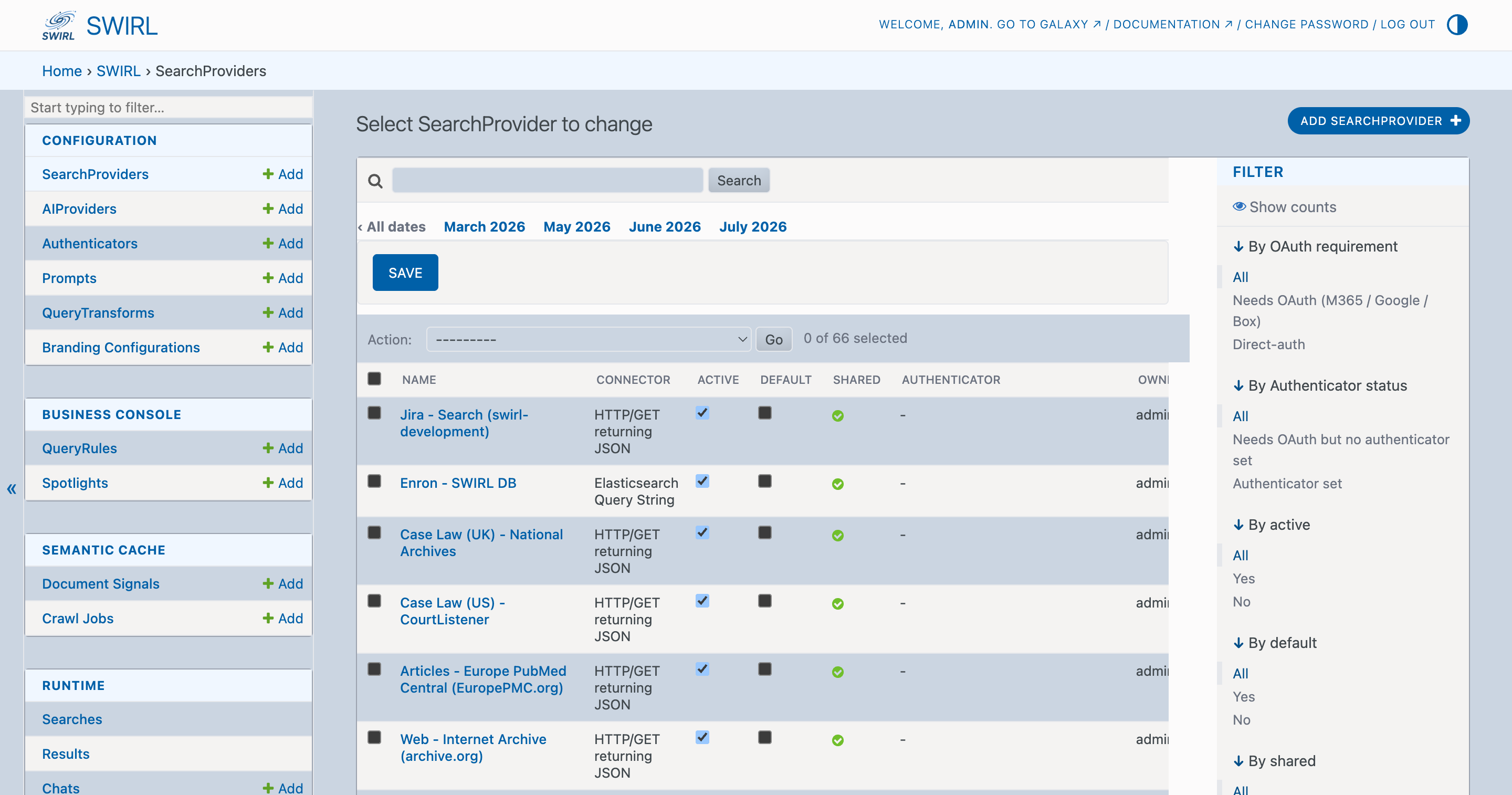
Click SearchProviders at the top-left of the screen, under the CONFIGURATION menu, to bring up a list of the current SearchProviders:
Editing a SearchProvider
From the admin console click on a SearchProvider to edit it. Use the form that appears to make changes:
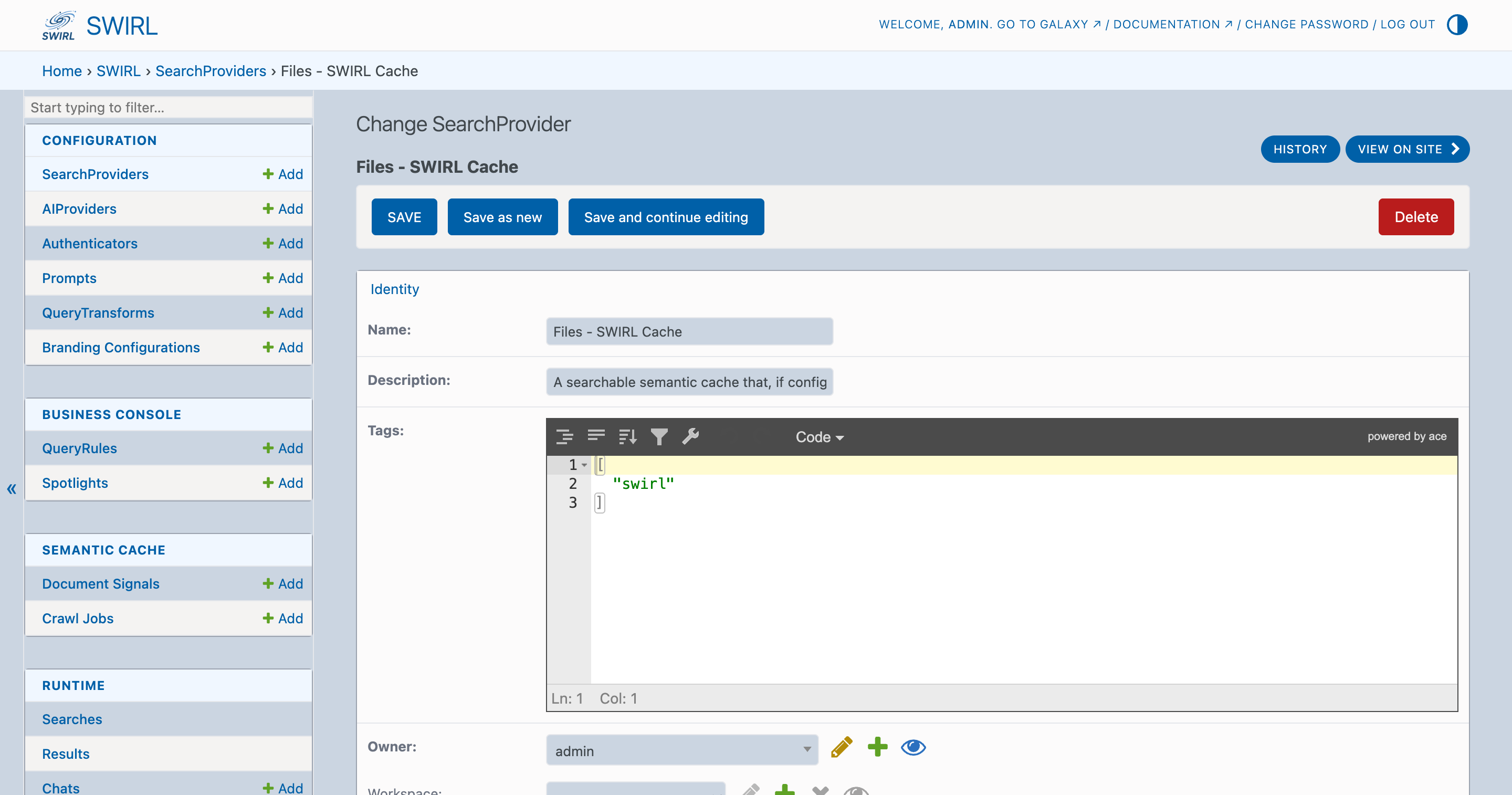
Click SAVE at the bottom of the form to commit changes.

Cloning a SearchProvider
To clone a SearchProvider, open it as described above, then:
- Change the name of the SearchProvider to a unique value.
- Click
Save as newat the bottom of the page (pictured above).
Activating a SearchProvider
To activate a SearchProvider, edit it using the Admin Console as shown above, then check the active field if it isn't already.

Click SAVE at the bottom of the page to commit the change.
Activating a Google Programmable Search Engine (PSE) SearchProvider
Configure your own Google credentials. The preloaded Web - Google.com and Documentation - SWIRL (docs.swirlaiconnect.com) SearchProviders require two Google values: an API key (from Google Cloud Console) and a Programmable Search Engine ID, also known as the cx (from Programmable Search Engine).
Google Programmable Search Engine (PSE) lets you search specific websites or the entire web. The Web - Google.com and Documentation - SWIRL SearchProviders use PSE; configure both a Google API key AND a PSE engine ID (cx) on them.
To activate a Google PSE SearchProvider:
-
Obtain a Google API key (used for billing & rate-limiting):
- Visit the Google Cloud Console → Credentials.
- Create a new project (or select an existing one).
- Enable the Custom Search API (https://console.cloud.google.com/apis/library/customsearch.googleapis.com).
- Create an API key in the Credentials section. Copy it.
-
Create (or reuse) a Programmable Search Engine (defines what to search):
- Visit programmablesearchengine.google.com.
- Click Add. To search the entire web, toggle "Search the entire web" on. To search specific sites (e.g.
docs.swirlaiconnect.com), list them under "Sites to search". - Click Create, then open the engine and copy the Search engine ID. This is the
cxvalue.
-
Activate in SWIRL:
- Navigate to the Admin Console at http://localhost:8000/admin/swirl/searchprovider/.
- Find the SearchProvider to configure (e.g.
Web - Google.comorDocumentation - SWIRL) and click its name to edit. - In the Credentials field, replace the existing value so it reads exactly:
key=<your-api-key> - In the Query mappings field, set the
cx=entry to your engine ID, e.g.cx=<your-cx>. (The Query template keeps the{cx}placeholder; the value comes fromquery_mappings.) - Check the Active checkbox.
- Click SAVE.
-
Verify activation:
- Return to the SearchProvider list. The record should now show in the Active column.
- Run a search from the Galaxy UI. The provider's results should appear; if not, check the Log Viewer for a
400 Bad Requestfromcustomsearch/v1(usually means the cx or key is wrong).
Why use your own key? Google's Custom Search API is billed per-query against the account that owns the API key. Each operator owning their own key keeps usage isolated and gives you direct control of the daily quota / rate limits.
Adding SearchProviders
Using the Admin Console
From the admin console, go to the SearchProvider page:
Click Add SearchProvider at the top-right of the SearchProvider list:

Fill in the fields with the appropriate values for your SearchProvider. Contact SWIRL for assistance.
Via Copy/Paste
If you have a SearchProvider JSON file, copy and paste it into the form at the bottom of the SearchProvider API endpoint.
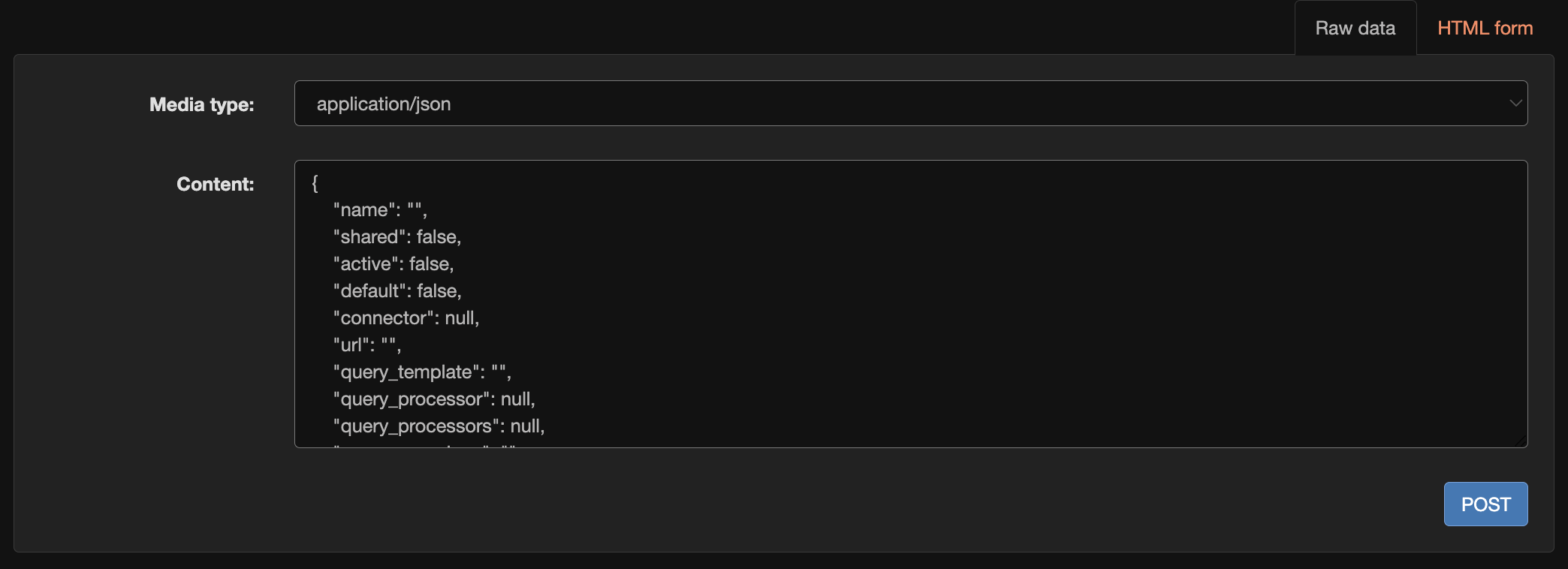
Steps
- Go to http://localhost:8000/swirl/searchproviders/.
- Click the
Raw datatab at the bottom of the page. - Paste the SearchProvider JSON (a single record or a list of records).
- Click
POST. - SWIRL confirms the new SearchProvider(s).
Using the Bulk Loader
Use the swirl_load.py script to bulk-load SearchProviders.
Steps
- Open a terminal and navigate to your SWIRL home directory:
cd <swirl-home>
- Run the following command:
python swirl_load.py SearchProviders/provider-name.json -u admin -p your-admin-password
- The script loads all configurations from the specified file.
- Visit http://localhost:8000/swirl/searchproviders/ to verify.
Example
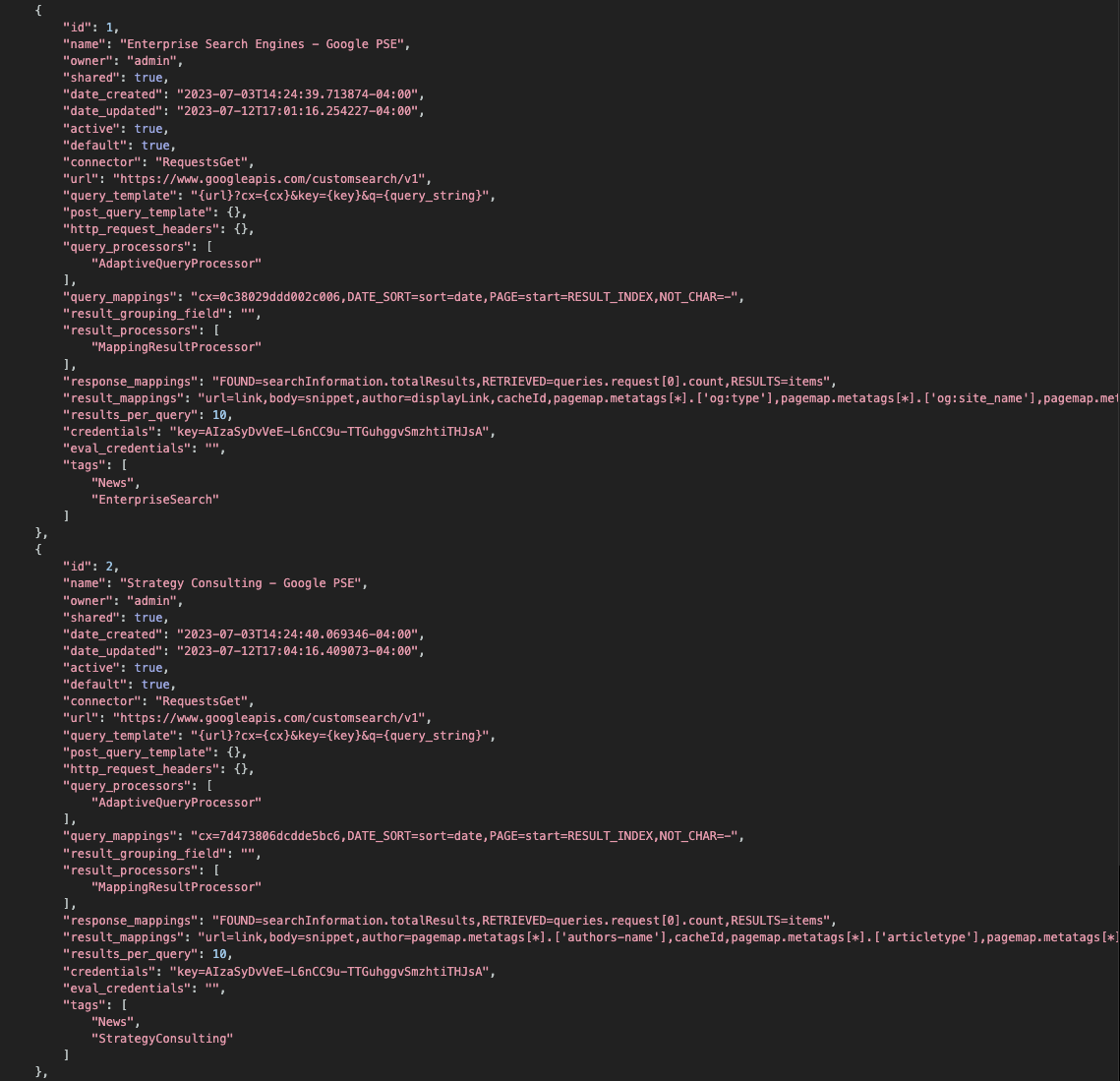
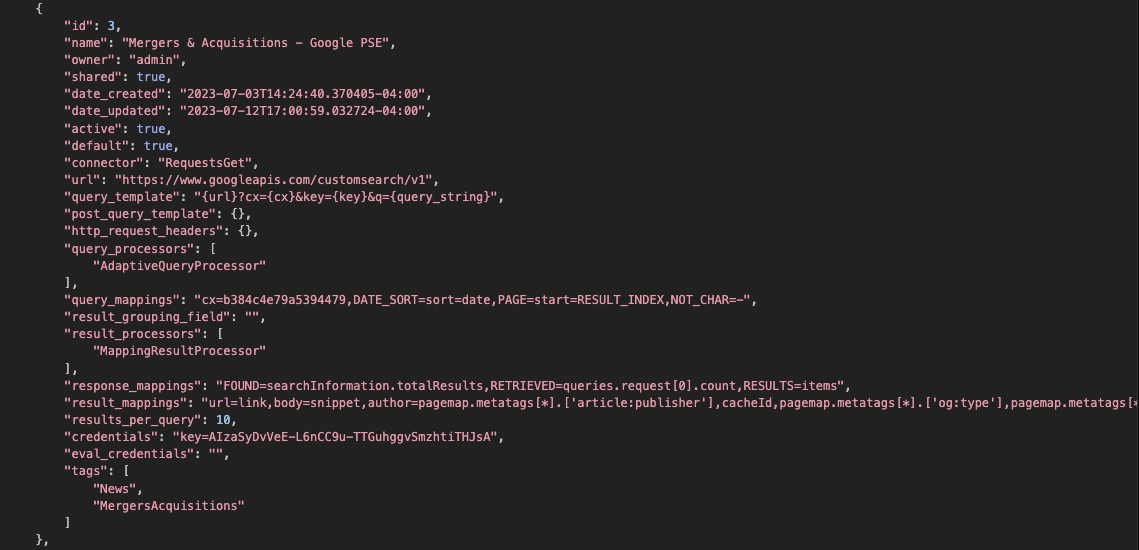
Query Templates
Most SearchProviders require a query_template, which binds to query_mappings during federation.
For example, the original query_template for the MongoDB movie SearchProvider:
"query_template": "{'$text': {'$search': '{query_string}'}}"
This format is a string, not valid JSON. Single quotes are required because the JSON itself uses double quotes.
MongoDB SearchProviders use the query_template_json field, which stores the template as valid JSON:
"query_template_json": {
    "$text": {
        "$search": "{query_string}"
    }
}
Organizing SearchProviders with Active, Default, and Tags
SearchProviders have three properties that control their participation in queries:
| Property | Description |
|---|---|
| Active | true/false - if false, the SearchProvider will not receive queries, even if specified in a searchprovider_list. |
| Default | true/false - if false, the SearchProvider is only queried when explicitly listed in searchprovider_list. |
| Tags | List of strings grouping providers by topic. Tags can be used in searchprovider_list, as a providers= URL parameter, or as tag:term in a query. |
Best Practices for SearchProvider Organization
- General-purpose providers should have
"Default": trueto be included in broad searches. - Topic-specific providers should have
"Default": falseand use"Tags": ["topic1", "topic2"]. - Users can target specific providers using a mix of Tags, SearchProvider names, or IDs.
This lets broad searches use general providers, while topic-specific searches target precise data sources.
Sharing a SearchProvider with Specific Users
By default, SearchProviders are shared with all SWIRL users. To enable group-level access to a SearchProvider, the admin user should:
-
Create a new Django Group and add one or more SWIRL users to it. Use the Django Admin tool as described in Django Admin.
-
Edit the SearchProvider.
Use the Admin Console to edit the SearchProvider as follows:
- Change
sharedtofalse. Add the name of the group created in step 1 to the SearchProvidergroupsproperty. This field must be a list. For example:
"groups": ["some_new_group"]

- Click
SAVEat the bottom of the form to save changes.
Now only members of the newly created group can use that SearchProvider, and it appears for them in the Galaxy sources pulldown.
Query Mappings
SearchProvider query_mappings are key-value pairs that define how queries are structured for a given SearchProvider. These mappings configure field replacements and query transformations that SWIRL's processors (such as AdaptiveQueryProcessor) use to adapt the query format to each provider's requirements.
Available query_mappings Options
| Mapping Format | Description | Example |
|---|---|---|
| key = value | Replaces {key} in the query_template with value. |
"query_template": "{url}?cx={cx}&key={key}&q={query_string}","query_mappings": "cx=<your-cx>" |
| DATE_SORT=url-snippet | Inserts the specified string into the URL when date sorting is enabled. | "query_mappings": "DATE_SORT=sort=date" |
| RELEVANCY_SORT=url-snippet | Inserts the specified string into the URL when relevancy sorting is enabled. | "query_mappings": "RELEVANCY_SORT=sort=relevancy" |
| PAGE=url-snippet | Enables pagination by inserting either RESULT_INDEX (absolute result number) or RESULT_PAGE (page number). |
"query_mappings": "PAGE=start=RESULT_INDEX" |
| NOT=True | Indicates that the provider supports basic NOT operators. |
elon musk NOT twitter |
| NOT_CHAR=- | Defines a character for NOT operators. |
elon musk -twitter |
Query Field Mappings
In query_mappings, keys enclosed in braces within query_template are replaced with mapped values.
Example Configuration
"url": "https://www.googleapis.com/customsearch/v1",
"query_template": "{url}?cx={cx}&key={key}&q={query_string}",
"query_processors": [
        "AdaptiveQueryProcessor"
    ],
"query_mappings": "cx=<your-cx>,DATE_SORT=sort=date,PAGE=start=RESULT_INDEX",
Example Query Output
At query execution time, this configuration generates:
https://www.googleapis.com/customsearch/v1?cx=<your-cx>&q=some_query_string
Key Configuration Guidelines
- The
urlfield is specific to each SearchProvider and should contain static parameters that never change. query_mappingsallow dynamic replacements using query-time values.- The
query_stringis populated by SWIRL as described in the Developer Guide.
HTTP Request Headers
The optional http_request_headers field lets you send custom HTTP headers with a query.
For example, the GitHub SearchProvider uses this to request enhanced search snippets, which are then mapped to SWIRL's body field:
"http_request_headers": {
    "Accept": "application/vnd.github.text-match+json"
},

"result_mappings": "title=name,body=text_matches[*].fragment, ..."
This enables source-specific header configurations for richer results.
Result Processors
Each SearchProvider can define its own result-processing pipeline. A typical configuration:
"result_processors": [
    "MappingResultProcessor",
    "CosineRelevancyResultProcessor"
],
Enabling Relevancy Ranking
If relevancy ranking is required:
- The
CosineRelevancyResultProcessormust be the last item in theresult_processorslist. - The
CosineRelevancyPostResultProcessormust be included in theSearch.post_result_processorsfield (a list, defined inswirl/models.py).
For more, see the Relevancy Ranking section.
Additional ResultProcessors
SWIRL provides other ResultProcessors that may be useful in specific cases. See the Developer Guide for details.
Authentication & Credentials
The credentials property stores authentication information required by a SearchProvider.
Supported Authentication Formats
Key-Value Format (Appended to URL)
Used when an API key is passed as a query parameter.
Example: Google PSE SearchProvider
"credentials": "key=your-google-api-key-here",
"query_template": "{url}?cx={cx}&key={key}&q={query_string}",
Bearer Token (Sent in HTTP Header)
Supported by the RequestsGet and RequestsPost connectors.
Example: Miro SearchProvider
"credentials": "bearer=your-miro-api-token",
X-Api-Key Format (Sent in HTTP Header)
"credentials": "X-Api-Key=<your-api-key>",
HTTP Basic/Digest/Proxy Authentication
Supported by RequestsGet, Elastic, and OpenSearch connectors.
Example: Solr with Auth SearchProvider
"credentials": "HTTPBasicAuth('solr-username','solr-password')",
Other Authentication Methods
For advanced authentication techniques, see the Developer Guide.
Response Mappings
SearchProvider response_mappings determine how each source's response is normalized into JSON. They are processed by the connector's normalize_response method.
Example: Google PSE Response Mappings
"response_mappings": "FOUND=searchInformation.totalResults,RETRIEVED=queries.request[0].count,RESULTS=items",
Response Mapping Options
| Mapping | JSONPath Source | Required? | Example |
|---|---|---|---|
| FOUND | Total number of results available for the query (default: same as RETRIEVED if not specified) |
No | FOUND=searchInformation.totalResults |
| RETRIEVED | Number of results returned for this query (default: length of RESULTS list) |
No | RETRIEVED=queries.request[0].count |
| RESULTS | Path to the list of result items | Yes | RESULTS=items |
| RESULT | Path to the document (if result items are stored within a dictionary/wrapper) | No | RESULT=document |
Proper response mappings ensure consistent search results across different sources.
Result Mappings
SearchProvider result_mappings define how JSON result sets from external sources are mapped to SWIRL's standard result schema. Each mapping follows JSONPath conventions.
Configuration Options
Use the following configuration options to override default SearchProvider behavior.
They must be placed in the config block.
Retrieval Augmented Generation (RAG)
The following configuration items change the RAG defaults for a single SearchProvider:
"config": {
    "swirl": {
        "rag": {
            "swirl_rag_max_to_consider": <integer-max-to-consider>,
            "swirl_rag_fetch_timeout": <integer-rag-fetch-timeout>,
            "swirl_rag_score_inclusion_threshold": <float-rag-score-inclusion-threshold>,
            "swirl_rag_distribution_strategy": <rag-distribution-strategy>,
            "swirl_rag_inclusion_field": "<swirl_confidence_score|swirl_score>"
        }
    }
}
The following are valid RAG distribution strategies that can be selected by swirl_rag_distribution_strategy (values are case-sensitive):
* Distributed
* RoundRobin
* Sorted
* RoundRobinThreshold
For example:
"config": {
    "swirl": {
        "rag": {
            "swirl_rag_inclusion_field": "swirl_score",
            "swirl_rag_distribution_strategy": "Sorted",
            "swirl_rag_score_inclusion_threshold": 2500,
            "swirl_rag_max_to_consider": 4,
            "swirl_rag_fetch_timeout": 1
        }
    }
},
Page Fetching
The following configuration items allow modification of the page fetching defaults for a single SearchProvider:
"config": {
        "swirl": {
            "fetch_url_body": {
               "body_pagefetch_min_tokens": <min-tokens>,
               "body_pagefetch_token_length":  <token-length>,
               "body_pagefetch_fallback_token_length": <fallback-token-length>,
               "body_pagefetch_generation_method":"<generation-method>",
               "body_pagefetch_text_extract_timeout": <text-extraction-timeout>
             }
        }
    }
The following are valid generation methods that may be selected using body_pagefetch_generation_method:
* TERM_COUNT
* TERM_VECTOR
For example:
"config": {
        "swirl": {
            "fetch_url_body": {
               "body_pagefetch_min_tokens": 5,
               "body_pagefetch_token_length":64,
               "body_pagefetch_fallback_token_length":128,
               "body_pagefetch_generation_method":"TERM_COUNT",
               "body_pagefetch_text_extract_timeout":30
             }
        }
    }
Google Calendar
The following configuration items allow modification of the Google Calendar defaults:
"config": {
        "swirl": {
            "google_calendar": {
               "calendar_lookback_days": <lookback-days>,
               "calendar_lookahead_days": <lookahead-days>
            }
        }
    }
In both cases, specify the number of days. For example:
"config": {
        "swirl": {
            "google_calendar": {
               "calendar_lookback_days": 30,
               "calendar_lookahead_days": 30
            }
        }
    }
Retrieving More Results for a Single Provider Search
This feature is only supported in SWIRL Enterprise.
To retrieve more results when the user (or the Search Assistant) selects a single SearchProvider for a search, add the following to the config block:
"config":{
  "swirl": {
    "connector_use": {
      "single_provider_results_requested": 50
    }
  }
}
SWIRL will retrieve the number of results specified by single_provider_results_requested, instead of results_per_query.
To disable this behavior, remove the configuration item.
In addition, you can pass single_provider_results_requested=<int> to a GET /api/swirl/search REST request. If there is exactly one SearchProvider ID in the SearchProvider list, the number of results passed in will be fetched. If the value is also set in the configuration of that SearchProvider, the passed-in value is used.
Default SWIRL Fields
| Field Name | Description |
|---|---|
| author | Author of the item (not always reliable for web content). |
| body | Main content extracted from the result. |
| date_published | Original publication date (not always reliable for web content). |
| date_retrieved | Date and time SWIRL retrieved the result. |
| title | Title of the item. |
| url | URL of the result item. |
Example: Google PSE Result Mapping
"result_mappings": "url=link,body=snippet,author=displayLink,cacheId,pagemap.metatags[*].['og:type'],pagemap.metatags[*].['og:site_name'],pagemap.metatags[*].['og:description'],NO_PAYLOAD"
Here, url=link and body=snippet map Google PSE result fields to SWIRL result fields.
XML to JSON Conversion
The requests.py connector automatically converts XML to JSON for mapping.
It also handles list-of-list responses, where the first list element contains field names.
Example:
[
    ["urlkey", "timestamp", "original", "mimetype", "statuscode"],
    ["today,swirl)/", "20221012214440", "http://swirl.today/", "text/html"]
]
This format is automatically converted into a structured JSON array.
Constructing URLs from Mappings
If a SearchProvider does not return full URLs, JSONPath syntax can construct them dynamically.
Example: Europe PubMed Central
"url='https://europepmc.org/article/{source}/{id}'"
Here, {source} and {id} are values from the JSON result, inserted into the URL dynamically.
Aggregating Field Values
To aggregate list values into a single string, use JSONPath syntax.
Example: Google PSE Metadata Aggregation
"pagemap.metatags[*].['og:type']"
This merges all og:type values from the metadata into a single result field.
Example: ArXiv Author Aggregation
"author[*].name"
This collects all author names into a single field.
Multiple Mappings
SWIRL allows multiple source fields to map to a single SWIRL field.
"result_mappings": "body=content|description,..."
- If one field is populated, it maps to
body. - If both fields contain data, the second field is moved to PAYLOAD as
<swirl-field>_<source_field>.
Example Result Object:
{
    "swirl_rank": 1,
    "title": "What The Mid-Term Elections Mean For U.S. Energy",
    "url": "https://www.forbes.com/sites/davidblackmon/2022/11/13/what-the-mid-term-elections-mean-for-us-energy/",
    "body": "Leaders in U.S. domestic energy sectors should expect President Joe Biden to feel emboldened...",
    "payload": {
        "body_description": "Leaders in U.S. domestic energy sectors should expect President Joe Biden to feel emboldened..."
    }
}
Result Mapping Options
| Mapping Format | Description | Example |
|---|---|---|
| swirl_key = source_key | Maps a field from the source provider to SWIRL. | "body=_source.email" |
| swirl_key = source_key1|source_key2 | Maps multiple fields; the first populated field is mapped, others go to PAYLOAD. | "body=content|description" |
| swirl_key='template {variable}' | Formats multiple values into a single string. | "title='{x}: {y}'" |
| source_key | Maps a field from the raw source result into PAYLOAD. | "cacheId, _source.products" |
| sw_urlencode | URL-encodes the specified value. | "url=sw_urlencode(<hitId>)" |
| sw_btcconvert | Converts Satoshi to Bitcoin. | "sw_btcconvert(<fee>)" |
| NO_PAYLOAD | Disables automatic copying of all source fields to PAYLOAD. | "NO_PAYLOAD" |
| FILE_SYSTEM | Treats the SearchProvider as a file system, increasing body weight in ranking. |
"FILE_SYSTEM" |
| LC_URL | Converts url to lowercase. |
"LC_URL" |
| BLOCK | Used in SWIRL's RAG processing; stores output in the info block of the result object. | "BLOCK=ai_summary" |
| DATASET | Formats columnar responses into a single result. | "DATASET" |
Controlling date_published Display
Different values can be mapped to date_published and date_published_display.
"result_mappings": "... date_published=foo.bar.date1,date_published_display=foo.bar.date2 ..."
This results in:
"date_published": "2010-01-01 00:00:00",
"date_published_display": "c2010"
Result Schema
The JSON result schema is defined in:
Result Mixers further process and merge data from multiple sources.
PAYLOAD Field
The PAYLOAD field stores all unmapped result data from the source.
Using NO_PAYLOAD Effectively
To exclude unnecessary fields from PAYLOAD:
- Run a test query without
NO_PAYLOADto inspect raw fields. - Add specific mappings for the fields you need.
- Enable
"NO_PAYLOAD"to discard unmapped data.
SWIRL copies all source data to PAYLOAD by default unless NO_PAYLOAD is specified.
Vector Database SearchProviders
Pinecone
SWIRL supports querying Pinecone vector databases using the PineconeDB connector. This connector extends the VectorDBConnector base class and queries Pinecone indexes using vector similarity search.
Example SearchProvider:
{
    "name": "Documents - PineconeDB",
    "connector": "PineconeDB",
    "url": "<your-pinecone-index-name>",
    "credentials": "<your-pinecone-api-key>",
    "query_processors": [
        "AdaptiveQueryProcessor"
    ],
    "query_mappings": "",
    "result_processors": [
        "MappingResultProcessor",
        "AutomaticPayloadMapperResultProcessor",
        "CosineRelevancyResultProcessor"
    ],
    "response_mappings": "",
    "result_mappings": "NO_PAYLOAD",
    "tags": [
        "Pinecone",
        "VectorDB"
    ],
    "active": true,
    "default": false
}
Configuration Notes:
- Set
urlto your Pinecone index name. - Set
credentialsto your Pinecone API key. - The
AutomaticPayloadMapperResultProcessormaps Pinecone metadata fields to SWIRL result fields automatically. - Use
NO_PAYLOADinresult_mappingsif metadata fields should not be included in the payload.
Qdrant
SWIRL supports querying Qdrant vector databases using the QdrantDB connector.
Example SearchProvider:
{
    "name": "Documents - QdrantDB",
    "connector": "QdrantDB",
    "url": "<qdrant-url>-<collection-name>",
    "credentials": "<your-qdrant-api-key>",
    "query_processors": [
        "AdaptiveQueryProcessor"
    ],
    "query_mappings": "",
    "result_processors": [
        "MappingResultProcessor",
        "AutomaticPayloadMapperResultProcessor",
        "CosineRelevancyResultProcessor"
    ],
    "response_mappings": "",
    "result_mappings": "NO_PAYLOAD",
    "tags": [
        "Qdrant",
        "VectorDB"
    ],
    "active": true,
    "default": false
}
Configuration Notes:
- The
urlfield uses a special format:<qdrant-server-url>-<collection-name>. For example:http://localhost:6333-my_collection. - Set
credentialsto your Qdrant API key. Leave empty if authentication is not required. - The connector uses the Qdrant Python client (
qdrant-clientpackage).
Oracle Database
SWIRL supports querying Oracle databases using the Oracle connector, which extends the DBConnector base class.
Example SearchProvider:
{
    "name": "Oracle Database",
    "connector": "Oracle",
    "url": "<oracle-dsn>",
    "credentials": "<username>:<password>",
    "query_template": "{0}",
    "query_processors": [
        "AdaptiveQueryProcessor"
    ],
    "result_processors": [
        "MappingResultProcessor",
        "CosineRelevancyResultProcessor"
    ],
    "tags": [
        "Oracle",
        "Database"
    ],
    "active": true,
    "default": false
}
Configuration Notes:
- Set
urlto the Oracle DSN (Data Source Name), e.g.,localhost:1521/ORCL. - Set
credentialsinusername:passwordformat. - Requires the
oracledbPython package (pip install oracledb). - The connector uses
oracledb.connect()with thin mode by default. - SQL queries are constructed from the
query_templateand passed to the database.
Box
SWIRL supports searching Box content using the Box connector via the Box API.
Example SearchProvider:
{
    "name": "Box Files",
    "connector": "Box",
    "url": "https://api.box.com/2.0/search",
    "query_template": "{0}",
    "query_processors": [
        "AdaptiveQueryProcessor"
    ],
    "result_processors": [
        "MappingResultProcessor",
        "CosineRelevancyResultProcessor"
    ],
    "tags": [
        "Box",
        "Files"
    ],
    "active": true,
    "default": false
}
Configuration Notes:
- Box integration requires OAuth2 authentication. Configure a Box Authenticator in the Admin Console.
- The connector uses the Box Search API to find content across files, folders, and comments.
- For Enterprise Edition, configure the Box authenticator at
http://localhost:8000/admin/swirl/authenticator/.
Rate Limiting or Throttling of SWIRL by Sources
Please note: SWIRL queries may be subject to rate limits or throttling imposed by the sources being queried. Consult the terms for the service in question for details.
SWIRL honors 429 responses to HTTP requests (including MS Graph API) and automatically backs off for a configurable time period, or the time reported.
SWIRL may be configured to limit the rate sent to any given SearchProvider. Contact support for assistance.